How to Customise Your MyVeCard Digital Business Card for Maximum Impact in 2026
Knowing how to customise your MyVeCard digital business card properly is the difference between being memorable and being forgotten. In 2026, first impressions happen in seconds — and your digital card needs to do the heavy lifting. This guide walks you through every step, so your profile looks polished, on-brand, and ready to impress.
Why Customisation Matters More Than Ever
A generic profile is a missed opportunity. When someone taps your card or clicks your link, they form an instant opinion. That opinion is based on what they see — your photo, your colours, your clarity of message.
Think about it. You're at a conference, mid-conversation with your ideal client. You tap your MyVeCard to their phone. In that moment, your digital business card design either builds trust or raises doubt. A well-crafted profile builds it instantly.
The good news? MyVeCard profile setup is straightforward. You don't need to be a designer or a tech expert. You just need to know where to start.
What Is NFC and Why Does It Matter for Your Card?
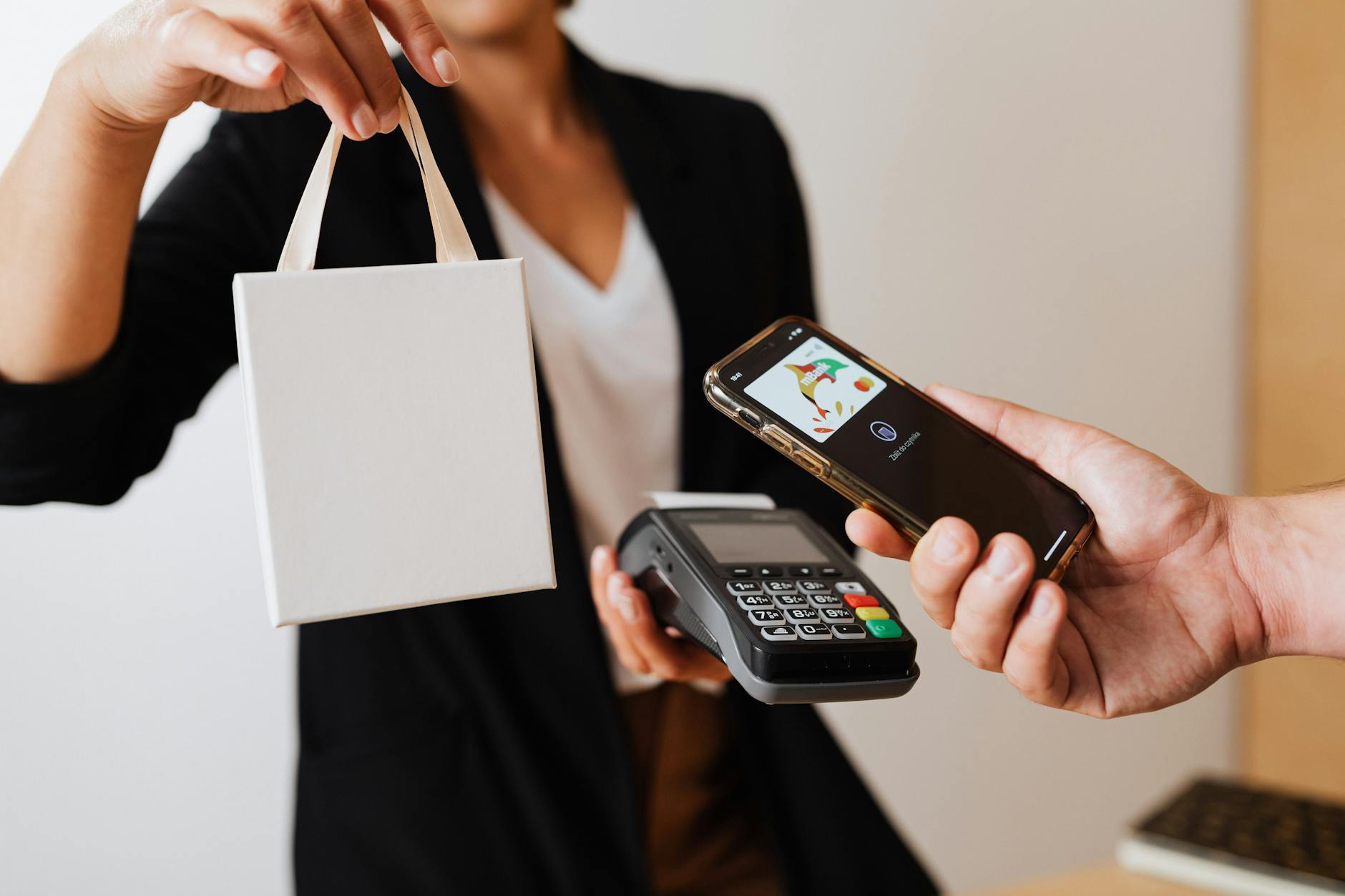
NFC, or Near Field Communication, is the wireless technology that lets you share your contact details with a single tap. No app download needed. No QR code faff. Just tap your card to a smartphone and your profile appears instantly.
When you personalise your NFC business card, you control exactly what people see the moment that tap happens. That's why getting the details right matters so much.
How to Customise Your MyVeCard Digital Business Card: Step by Step

Follow these steps to make every element of your profile work harder for you.
Upload a Professional Profile Photo: Your photo is the first thing people notice. Use a high-resolution headshot with good lighting and a clean background. Avoid group shots or holiday snaps. You want people to recognise you at a glance — especially after meeting you in person. A strong photo builds immediate trust and makes your profile feel human.
Set Your Brand Colours and Theme: One of the most powerful NFC card customisation options in MyVeCard is the ability to match your profile to your brand palette. Add your brand's primary and accent colours to create a consistent look. If you're a freelancer or sole trader, pick colours that reflect your personality and industry. Consistency across your card, website, and social media builds recognition over time. This is custom digital business card branding done properly.
Write a Clear, Compelling Bio: Your bio should answer one question: why should someone connect with you? Keep it to two or three sentences. Lead with what you do and who you help. Skip the jargon. For example: "I help small businesses grow through smart digital marketing strategies. Based in London, available globally." Simple, specific, and memorable. Good copywriting is one of the most underrated digital business card design tips going.
Add Your Contact Details and Social Links: This sounds obvious, but many people leave this incomplete. Add your phone number, email address, and website. Then connect your most relevant social profiles — LinkedIn for B2B professionals, Instagram for creatives, TikTok if you're building a personal brand. The goal is to give people multiple ways to reach you, without overwhelming them. Prioritise the channels you actually use and respond to. LinkedIn remains the leading professional networking platform in 2026, so make sure that link is prominent.
Add a call to action Button: Don't just present information — tell people what to do next. MyVeCard lets you add a custom CTA button directly to your profile. Options include "Book a Call," "Visit My Website," "Download My Portfolio," or "Send Me an Email." This single addition can dramatically increase the number of meaningful connections you make. Think of it as your digital handshake — it guides the conversation forward.
Include a Logo or Brand Mark: If you run a business, your logo should feature prominently on your profile. It reinforces professionalism and helps people associate you with your brand long after the conversation ends. Keep the file clean — a transparent PNG works best. This small detail elevates your profile from personal contact page to proper business asset.
Review Your Profile on Mobile: Before you share your card with anyone, view your profile on a smartphone. Most people will see your card on a mobile screen. Check that your photo loads quickly, your text is readable, and your CTA button is easy to tap. Mobile browsing now accounts for the majority of web traffic globally, so a mobile-first mindset is non-negotiable.
Tips for Getting Your MyVeCard Profile Setup Right the First Time
Keep It Focused
It's tempting to add everything. Resist. A clean, focused profile is more impactful than a cluttered one. Include only what's relevant to your professional goals right now.
Update It Regularly
One of the biggest advantages of a digital card over a printed one is that you can update it any time. Changed jobs? New phone number? Launched a new service? Update your profile in minutes — no reprinting, no wasted stock, no cost. A printed card can cost anywhere from £20 to £100 for a decent batch. With MyVeCard, your details are always current.
Test the Tap Experience
If you have a physical MyVeCard NFC card, tap it to your own phone and experience it as a stranger would. Is the journey smooth? Does the right information appear? This quick test often reveals small tweaks that make a big difference. User experience isn't just for websites — it applies to your networking tools too.
Common Mistakes to Avoid
Skipping the photo is the most common error. Without one, your profile feels anonymous. People connect with people, not blank avatars.
Using your personal email address instead of a professional one is another easy mistake. If you have a business domain, use it. It signals credibility immediately.
Finally, don't ignore the CTA. A profile without a clear next step is a dead end. Always give people a reason and a way to take action.
Your Next Step
Now you know exactly how to customise your MyVeCard digital business card for maximum impact. The process takes less than twenty minutes, and the results last every time you network, pitch, or introduce yourself.
Your card should work as hard as you do. With the right custom digital business card branding, a sharp bio, and a clear call to action, your MyVeCard profile becomes your most powerful networking tool in 2026.
Ready to make it happen? Log in to MyVeCard today and start building a profile that leaves a lasting impression — every single tap.